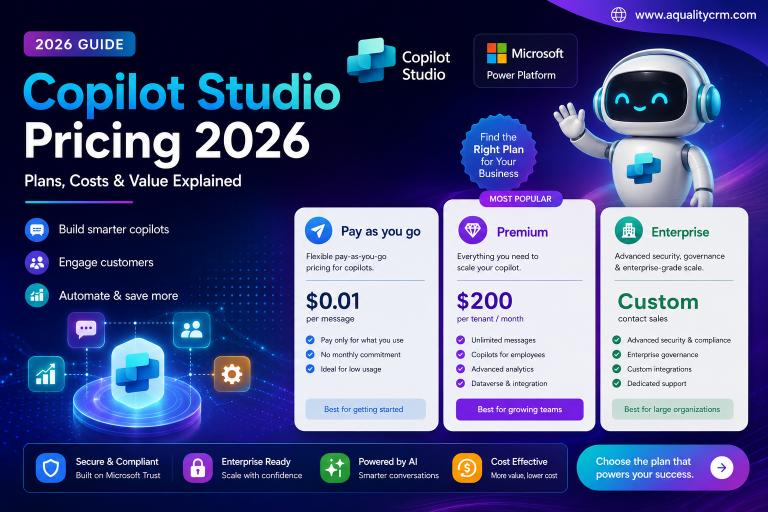
In June 2025, Gartner predicted that more than 40% of agentic AI projects would be cancelled by the end of 2027, and it named escalating cost as the first of three causes, ahead of unclear business value and weak risk controls (Gartner, Gartner Predicts Over 40% of Agentic AI Projects Will Be Canceled by End of 2027, June 2025). Copilot Studio is unusually exposed to that failure mode, because its price list looks simple and its consumption model is not.
A credit costs less than a penny. That fact reassures the person approving the pilot and tells them almost nothing useful. What decides the bill is how the agent is designed: which grounding it uses, which model it calls, whether it speaks. This guide works through the published rate card, the arithmetic of packs versus pay-as-you-go, the invoices that land outside Copilot Studio entirely, and what happens when a tenant runs out mid-month.
Key Takeaways
- Copilot Credits cost $0.01 pay-as-you-go or $0.008 in a $200 / 25,000-credit pack (Microsoft, 2026).
- A single grounded question that takes an action costs 17 credits, not one.
- Prepaid packs only beat pay-as-you-go above 80% capacity utilisation, an AqualityCRM calculation from Microsoft’s published rates.
- There are two enforcement cliffs: agent flows stop at 100% of capacity, custom agents at 125%.
Copilot Studio economics: 2026 at a glance
| Metric | Figure | Source |
|---|---|---|
| Pay-as-you-go rate | $0.01 / credit | Microsoft pricing, 2026 |
| Prepaid capacity pack | $200 / 25,000 credits / month | Microsoft pricing, 2026 |
| Effective prepaid rate | $0.008 / credit | AqualityCRM calculation |
| Cheapest billable response (classic answer) | 1 credit | Microsoft Learn, Aug 2026 |
| Most expensive published rate (premium AI tools) | 100 credits / 10 responses | Microsoft Learn, Aug 2026 |
| Premium GenAI voice | 75 credits / minute | Microsoft Learn, Aug 2026 |
| Microsoft 365 Copilot seat | $30 / user / month, annual | Microsoft pricing, 2026 |
| Overage enforcement threshold | 125% of prepaid capacity | Microsoft Learn, Aug 2026 |
| Unused credits carried to next month | 0 | Microsoft Learn, Aug 2026 |
Figures verified against Microsoft documentation and the Microsoft 365 Copilot pricing page, retrieved 4 September 2026. Rates exclude bring-your-own-model configurations, which Microsoft bills separately.
What does one Copilot Credit actually cost?
A Copilot Credit costs $0.01 on the pay-as-you-go meter, or $0.008 inside a prepaid pack, since Microsoft sells 25,000 credits for $200 per month (Microsoft, Microsoft 365 Copilot pricing: Copilot Studio, 2026). The pack is therefore 20% cheaper per credit. Whether it’s cheaper per month is a different question, and we’ll come back to it.
Credits replaced messages as the billing currency on 1 September 2025. Microsoft changed neither the pack quantity nor the pay-as-you-go rate at the time, so cost models built before that date still hold. Only the vocabulary moved.
What matters far more than the unit price is the rate card. Microsoft bills by feature, not by message, and the published rates span two orders of magnitude.
Read that chart as a design brief rather than a price list. The features at the bottom aren’t premium editions you have to buy. They’re switches a maker can flip inside the authoring canvas on a Tuesday afternoon, without a purchase order. A team that turns on voice and a reasoning model has changed the unit economics of its agent by roughly two orders of magnitude, and nothing in the approval process is likely to have noticed.
Microsoft’s published rates for the standard harness are below.
| Agent feature | Copilot Credits | Cost at pack rate | Included for M365 Copilot users? |
|---|---|---|---|
| Classic answer | 1 | $0.008 | Yes |
| Generative answer | 2 | $0.016 | Yes |
| Agent action | 5 | $0.040 | Yes, except computer-using agents |
| Tenant graph grounding, per message | 10 | $0.080 | Yes |
| Agent flow actions, per 100 actions | 13 | $0.104 | Only via the “when an agent calls the flow” trigger |
| AI tools, basic, per 10 responses | 1 | $0.008 | Yes |
| AI tools, standard, per 10 responses | 15 | $0.120 | Yes |
| AI tools, premium, per 10 responses | 100 | $0.800 | Yes |
| Content processing tools, per page | 8 | $0.064 | Yes |
| Classic voice, per minute | 10 | $0.080 | Core activity included |
| GenAI voice, per minute | 35 | $0.280 | Core activity included |
| Premium GenAI voice, per minute | 75 | $0.600 | Core activity included |
Credit rates: Microsoft Learn, “Billing rates and management”, updated 3 August 2026. Dollar conversions are AqualityCRM calculations at the $0.008 prepaid pack rate.
Why does one question cost 17 credits and not one?
Because a single user turn usually invokes several billable features at once. Microsoft’s own documentation gives the example: a tenant-graph-grounded agent can consume 12 credits to answer one prompt, being 10 for grounding plus 2 for the generative answer (Microsoft Learn, Billing rates and management, August 2026). Add a single action and the turn costs 17.
Seventeen credits is 13.6 cents. That still sounds harmless, and at pilot volumes it is. The problem is that the number is multiplied by conversation length, then by daily users, then by thirty. An agent handling 500 conversations a day at six turns each consumes 51,000 credits a month, which is $408, from a service most people describe as costing a fraction of a cent.
Two design decisions dominate everything else. Tenant graph grounding is optional and configurable per agent, so an agent that doesn’t genuinely need tenant-wide retrieval shouldn’t have it on. And agent actions at 5 credits each mean that generative orchestration, which decides for itself how many steps to take, is the feature most likely to surprise you. Our guide to custom actions in Copilot Studio covers how those calls are structured; this article is about what each one adds to the invoice.
Do prepaid packs actually save money?
Only above roughly 80% capacity utilisation. A pack costs a fixed $200 for 25,000 credits, while pay-as-you-go costs $0.01 per credit with no floor. Pay-as-you-go therefore stays cheaper until monthly consumption reaches 20,000 credits, at which point it also costs $200. Below that line, a pack means paying for credits nobody used.
Our finding: the staircase means the comparison resets at every tier. Buy a second pack and you owe $400 for 50,000 credits, but pay-as-you-go doesn’t reach $400 until 40,000 credits. So an organisation consuming 30,000 credits a month pays $400 on packs and $300 on the meter. The pack only pays for itself in the narrow band between 20,000 × n and 25,000 × n credits. In other words, when you are running at 80% or more of what you bought.
That inverts the usual instinct. Committing early, before consumption patterns are understood, is the expensive choice, not the prudent one. Packs are worth buying when usage is high, stable and predictable. The interesting exception is enforcement, and it’s a big one. We’ll come to that shortly.
Microsoft also sells an annual pre-purchase of Copilot Credit Commit Units through Azure, with discounts stated as up to 20%. That option only makes sense once you can forecast a full year of consumption, which most organisations cannot do in their first two quarters.
Which four invoices does one agent actually generate?
Copilot Studio’s consumption report shows one of them. Microsoft states plainly that its published rates “exclude bring-your-own-model configurations, including Azure Foundry models, which are billed separately” (Microsoft Learn, Billing rates and management, August 2026). Everything in that sentence lands on a different bill, under a different cost centre, usually owned by a different team.
Layer four is the one worth studying, because it can move the bill in your favour. A Microsoft 365 Copilot licence at $30 per user per month zero-rates classic answers, generative answers and tenant graph grounding when the agent runs under an authenticated, licensed user’s identity in Copilot Chat, Teams or SharePoint. For an internal, employee-facing agent, that inclusion can take the credit line close to zero.
The inclusion is narrower than it first appears. It applies to employee-facing scenarios, is subject to fair-use limits Microsoft reserves the right to change, and excludes computer-using agents. For agent flows it applies only to runs triggered by “when an agent calls the flow”. Any other trigger bills at the standard rate. And it does nothing at all for customer-facing agents, where the person talking to the bot has no licence. Our walkthrough of configuring Microsoft 365 Copilot in Dynamics 365 covers the identity path that determines which side of that line you land on.
What happens when the credits run out mid-month?
Two different things, at two different thresholds. Microsoft blocks new agent flow runs once prepaid capacity is fully consumed, and disables custom agents entirely at 125% of capacity (Microsoft Learn, Billing rates and management, August 2026). Most capacity plans we review account for one cliff and meet the other first.
The customer-facing consequence deserves attention. Microsoft documents the messages users receive after enforcement: “There is a billing issue” or “This agent is currently unavailable. It has reached its usage limit.” If the agent sits on your public support page, that string is now your brand’s reply to a paying customer. In-flight conversations are allowed to finish, which softens the failure but doesn’t prevent it.
This is where the pack-versus-meter decision stops being purely arithmetic. Attaching a pay-as-you-go billing policy to an environment removes both cliffs, because overage bills to Azure rather than triggering enforcement. You are effectively paying a 25% premium per credit for the guarantee that the agent stays up. For an internal HR assistant, that guarantee is worth little. For a customer-facing agent during a product launch, it is worth a great deal. Many mature tenants run both: packs on stable internal environments, pay-as-you-go on anything customers touch.
What does a realistic deployment cost?
Microsoft’s own worked example gives a defensible anchor. A website support agent answering from return policies and product manuals, averaging four classic answers and two generative answers per run across 900 customers a day, consumes 7,200 credits daily, calculated as [(4 × 1) + (2 × 2)] × 900 (Microsoft Learn, Billing rates and management, August 2026).
Extending that to a month is straightforward arithmetic, and the result is more sobering than the daily figure suggests.
| Scenario | Credits / month | Pay-as-you-go | Prepaid packs | Cheaper option |
|---|---|---|---|---|
| Pilot: 50 conversations/day, no grounding | 9,000 | $90 | $200 (1 pack) | Pay-as-you-go |
| Microsoft’s support example: 900/day | 216,000 | $2,160 | $1,800 (9 packs) | Packs |
| Same agent, tenant grounding enabled | 756,000 | $7,560 | $6,200 (31 packs) | Packs |
| Same volume via premium GenAI voice, 4 min/call | 8,100,000 | $81,000 | $64,800 (324 packs) | Packs |
Illustrative model. AqualityCRM calculation applying Microsoft’s published rates to Microsoft’s own documented usage example over a 30-day month. Pack counts are rounded up to whole packs. These are modelled figures, not observed customer results.
The fourth row is the one to sit with. Same agent, same traffic, same answers, routed through premium voice instead of text. The bill moves from four figures to five, and no separate product was purchased to make that happen. This is the mechanism behind Gartner’s “escalating costs” finding, and it doesn’t require anyone to do anything careless.
It also explains why deflection agents remain attractive despite all of this. In the Copilot Studio deployment we documented for Dynamics 365 Customer Service, the agent absorbed 65% of Tier 1 cases within 90 days. Against a fully loaded human handling cost, a text-based agent at a few cents per conversation clears its own cost comfortably. The economics work. They just stop working quietly if nobody sets a ceiling.
How do you cap agent costs before they cap you?
With four controls, none of which require a licence change. Microsoft exposes per-agent monthly consumption limits in the Power Platform admin center under Licensing > Copilot Studio > Manage Agents, which cap usage before enforcement triggers. Most tenants we assess have never opened that screen.
Set per-agent limits on day one
A tenant-level pool with no per-agent ceiling means one badly configured agent can consume capacity belonging to every other agent. Set the limit when the agent is published, not after the first surprising invoice. Treat it the same way you would a spending cap on a corporate card.
Decide grounding per agent, not per tenant
Tenant graph grounding is 10 credits per message and can be toggled per agent. Ask a direct question of each one: does answering this well genuinely require retrieval across the whole Microsoft Graph, or will a scoped knowledge source do? For most single-purpose agents, the answer is the latter, and that decision alone removes roughly three-fifths of the per-turn cost.
Route internal agents through licensed identities
If your users already hold Microsoft 365 Copilot licences, an employee-facing agent surfaced in Teams or Copilot Chat under their authenticated identity can zero-rate its core activity. The same agent exposed anonymously on a public page bills every message. Same logic, same knowledge, very different invoice.
Use pay-as-you-go as a shock absorber, not a default
Attach a billing policy to environments where an outage would be visible to customers. Keep packs on predictable internal workloads running above 80% utilisation. Review the split quarterly rather than annually, because agent behaviour changes faster than procurement cycles.
Microsoft also publishes an agent usage estimator that models credit volume by agent type, traffic, orchestration, knowledge and tools. It’s worth running before a go-live rather than after. The same discipline applies here as in our Power Platform deployment checklist: the gaps that hurt are the ones no standard go-live guide mentions.
AqualityCRM analysis: what this means for a business
Copilot Studio isn’t expensive. It’s unbudgetable by default, which is a different problem and a more dangerous one. A per-user licence has a knowable annual cost the moment you count your users. A consumption meter driven by design choices made inside a low-code canvas does not, and the people making those choices usually have no visibility of the meter at all.
The gap between a 1-credit answer and a 100-credit one is not a pricing tier. It’s a governance boundary that Microsoft has priced but not enforced for you. Three questions decide most of the bill, and all three are answered by a maker, not a buyer: does this agent ground on the tenant graph, does it use a reasoning model, and does it speak?
The practical implication for any organisation moving beyond a pilot is that agent cost belongs in design review, not procurement review. A per-agent credit ceiling costs nothing to set and converts an open-ended liability into a known number. That single control, applied at publish time, would have prevented most of the overruns we’ve been asked to investigate this year.
Where this fits in a wider platform decision: if you are still weighing platforms rather than tuning one, the total-cost comparison in our Dynamics 365 versus Salesforce analysis sets out the licensing structures side by side.
Risks and limitations of this analysis
- Rates change. All figures were verified against Microsoft documentation on 4 September 2026. Microsoft’s billing rates page carries a 180-day update cycle, and the currency itself was renamed from messages to Copilot Credits on 1 September 2025.
- List prices only. Enterprise Agreement and CSP customers frequently pay less. Nothing here reflects negotiated discounting.
- Bring-your-own-model costs are unquantified. Microsoft excludes Azure AI Foundry models from the published rates and does not state a typical token cost. We have not estimated one, because any figure would depend entirely on model choice and prompt design.
- Scenario tables are modelled, not observed. The volume scenarios extend Microsoft’s own documented example arithmetically. Real conversations vary in length and feature mix.
- Fair-use limits are undefined. Microsoft states that included Microsoft 365 Copilot usage is subject to fair-use limits it reserves the right to update, and publishes no threshold. Plans that depend heavily on zero-rated usage carry that unquantified risk.
- Standard harness only. These rates apply to agents on the standard harness. Other harnesses are licensed differently.
Frequently asked questions
How much does Copilot Studio cost per month?
A prepaid capacity pack costs $200 per month for 25,000 Copilot Credits, and pay-as-you-go costs $0.01 per credit with no minimum (Microsoft, 2026). Actual monthly cost depends on agent design: a text agent handling 500 conversations a day typically consumes 30,000 to 90,000 credits.
Is Copilot Studio included with Microsoft 365 Copilot?
Partly. A Microsoft 365 Copilot licence at $30 per user per month zero-rates classic answers, generative answers and tenant graph grounding for employee-facing agents running under a licensed user’s authenticated identity in Teams, SharePoint or Copilot Chat. Customer-facing agents and computer-using agents are excluded and bill normally.
What happens if I exceed my Copilot Studio capacity?
New agent flow runs are blocked once prepaid capacity is fully consumed, and at 125% of capacity Microsoft disables custom agents entirely. Users then see “This agent is currently unavailable. It has reached its usage limit.” Environments on a pay-as-you-go billing policy are exempt, with overage billed to Azure.
Are prepaid Copilot Credit packs cheaper than pay-as-you-go?
Per credit, yes: $0.008 against $0.01, a 20% saving. Per month, only above roughly 80% utilisation of what you bought. Because packs cost a fixed $200 each, pay-as-you-go is cheaper below 20,000 credits, and the comparison resets at every additional pack (AqualityCRM calculation, 2026).
Do unused Copilot Credits roll over to the next month?
No. Microsoft enforces purchased capacity monthly and states that unused Copilot Credits don’t carry over. Enforcement also resets monthly when prepaid credits renew, which means a single spike month cannot be offset by an earlier quiet one.
Getting the number right before you commit
The credit rate card is public, the enforcement thresholds are documented, and the arithmetic isn’t hard. What’s missing in most deployments is someone joining those three things to the design decisions being made inside the authoring canvas, before the agent ships rather than after the invoice lands.
If you’re modelling a Copilot Studio deployment, or already running one whose consumption you can’t explain, we build the credit model against your actual agent topology and set the per-agent ceilings to match. Talk to our Power Platform team about a capacity review.
Sources
- Microsoft Learn, “Billing rates and management”, updated 3 August 2026, retrieved 4 September 2026. learn.microsoft.com/en-us/microsoft-copilot-studio/requirements-messages-management
- Microsoft Learn, “Standard harness licensing”, updated 3 August 2026, retrieved 4 September 2026. learn.microsoft.com/en-us/microsoft-copilot-studio/billing-licensing
- Microsoft, “Microsoft 365 Copilot Pricing: AI Agents, Copilot Studio”, retrieved 4 September 2026. microsoft.com/en-us/microsoft-365-copilot/pricing/copilot-studio
- Gartner, “Gartner Predicts Over 40% of Agentic AI Projects Will Be Canceled by End of 2027”, press release, 25 June 2025, retrieved 4 September 2026. gartner.com/en/newsroom/press-releases/2025-06-25-gartner-predicts-over-40-percent-of-agentic-ai-projects-will-be-canceled-by-end-of-2027
- Microsoft, “Copilot Studio agent usage estimator”, retrieved 4 September 2026. microsoft.github.io/copilot-studio-estimator
Dollar conversions, break-even calculations and monthly scenario models in this article are AqualityCRM analysis based on Microsoft’s published rates. Microsoft has not published these derived figures.